AI Advisor (optional)
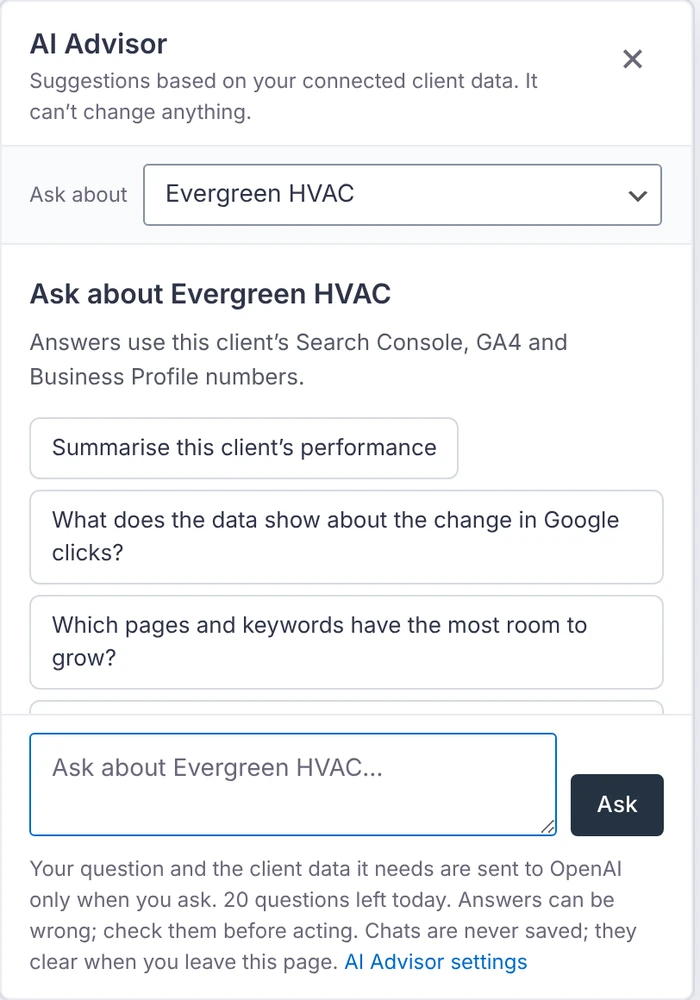
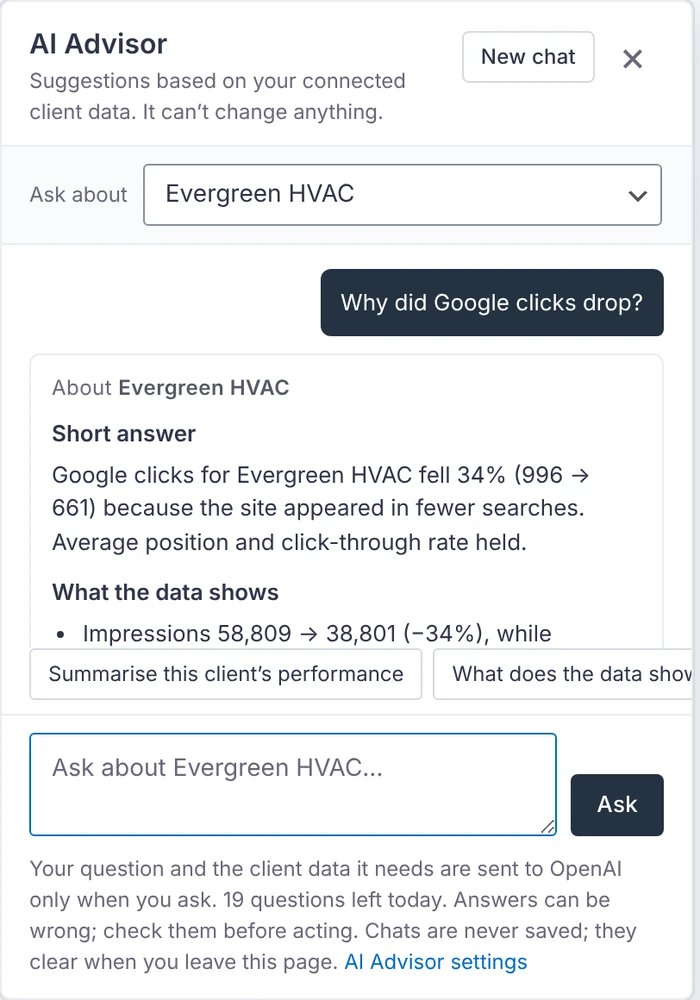
Ask about one client, all the clients you can see, or a specific issue, in plain English. Answers use the client’s connected report and monitor data, list their sources and dates, and keep what the data shows apart from possible causes and missing information.
Switch it on
It’s off by default. An administrator opens Settings → AI Advisor, picks a provider and saves that provider’s API key:
- OpenAI
- Anthropic Claude
- Google Gemini
- xAI Grok
Each provider has its own encrypted, server-side key. Choose a suggested model or Load my models from your key, and set daily and monthly question limits and answer length. Test the connection sends a generic test prompt.
What it sends
Only when someone asks a question: the question, the earlier turns of that conversation, and for the clients it’s about their name and website, Search Console, GA4 and Business Profile totals for the dates asked, the pages and keywords that changed most, and their Client Monitor issues.
It never sends email addresses, WordPress user names, Google account details, tokens or keys. Requests go from your server only to the provider you picked (OpenAI requests use “store” switched off). Search queries, page addresses and other report content may themselves contain personal data, so review your client data and the provider’s terms before switching it on.
What it costs
Questions are billed to your account with that provider. A question typically uses 2,000 to 8,000 tokens. Settings → AI Advisor shows this month’s usage.
What it can’t do
It can’t change anything. It only reads report data and writes answers. Slack drafts are put into the issue’s Slack box for you to review, edit and send yourself. Chats stay in page memory and disappear when you leave or reload the page; they are not saved in WordPress or browser storage. Answers can be wrong, so check them before acting.