Send to Slack
Hand an issue to your team in one click.
- Create a Slack incoming webhook for the channel you want, and save it in Settings → Client Monitor. Use Send a test message to check it.
- On an issue, click Send to Slack, add an optional note, and click Send. Or click Copy for Slack to paste it yourself.
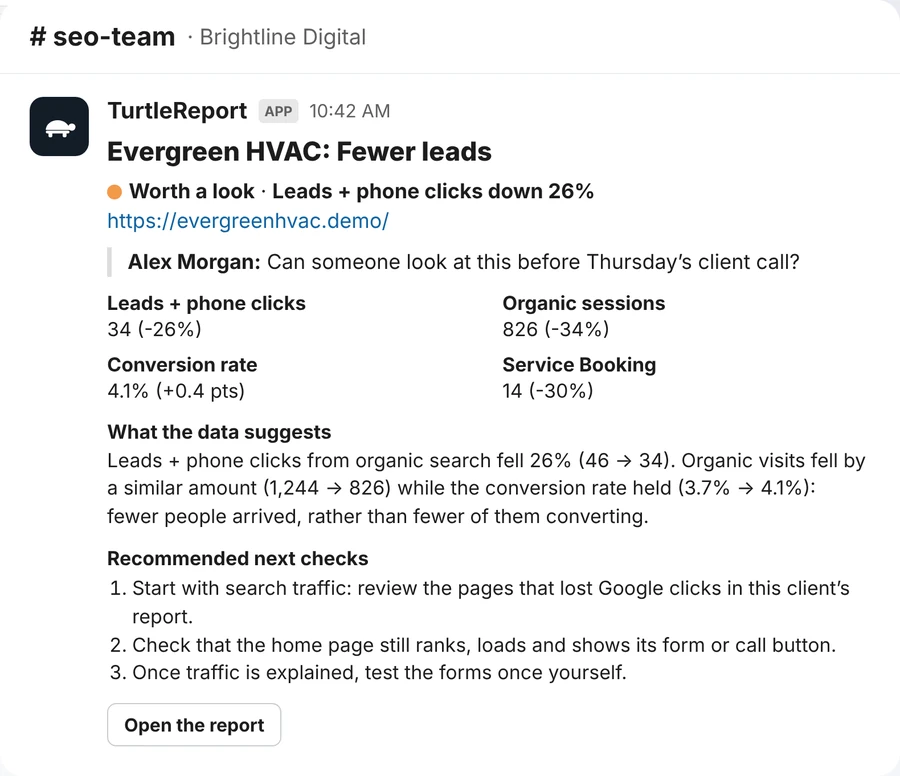
The message has the issue, the affected page, its numbers, what the data suggests, the next checks, your note, the name of the person sharing it and a link to the report. Slack is only contacted when someone presses Send to Slack or Send a test message.